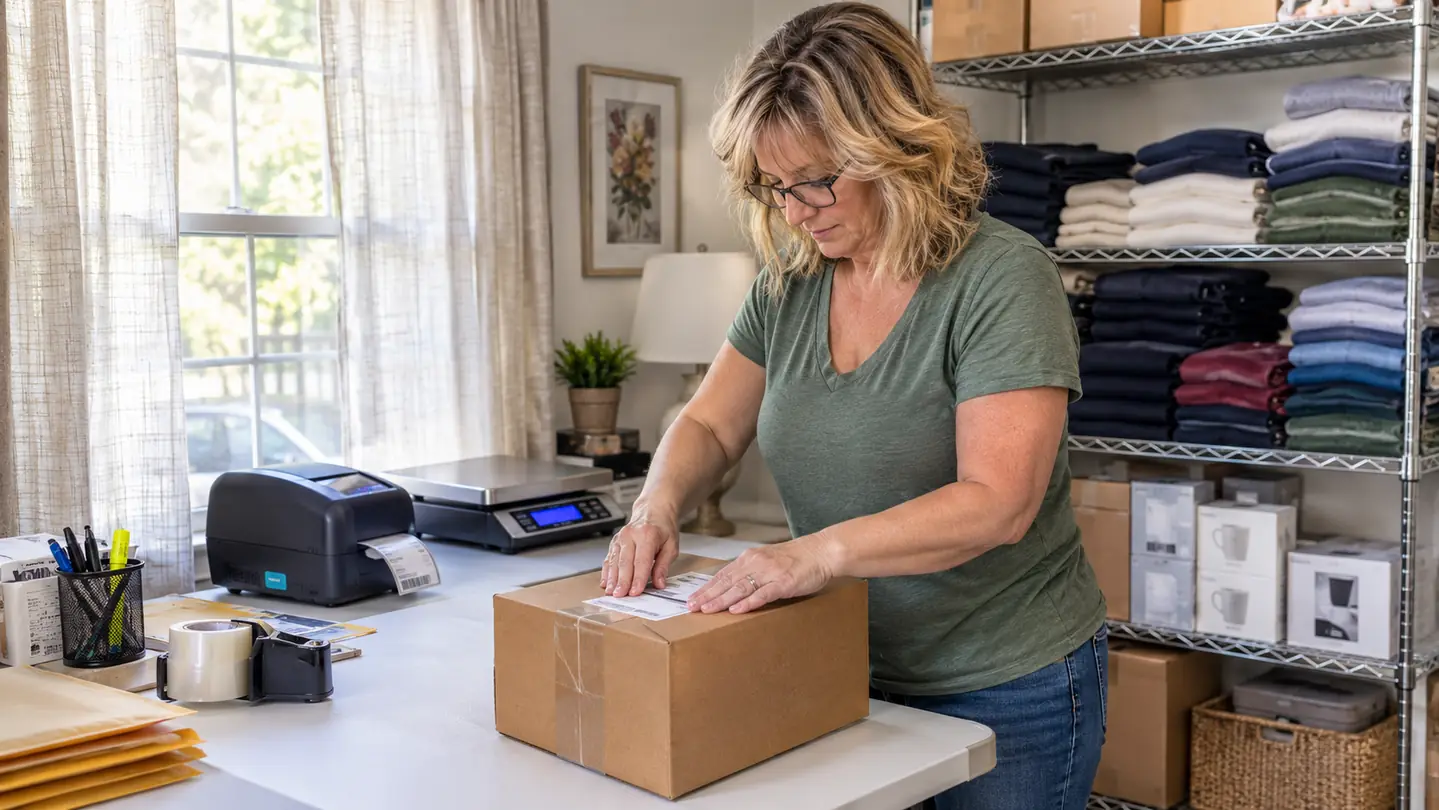
Two label printers have been sitting on my folding table in the spare bedroom since spring, and only one of them is still plugged in. I sell thrifted clothing, housewares and the occasional box of books on eBay and Poshmark, somewhere between eight and twenty 4x6 shipping labels in a normal week. What I have learned is that a label printer is only as good as the third label you print at 6:40 in the morning while Gary is standing by the door holding the rolling cart. The JADENS Bluetooth thermal printer is the one that stayed plugged in. The Phomemo is the one I keep for a narrower job. Here is the honest split, and where I would send you depending on how you actually work.
If you print from a laptop at a desk and you want a connection you can trust plus a label size range that covers shipping labels and small stock, the JADENS is the safer buy. If nearly all of your printing happens from a phone and you sell things that call for round logo labels and thank-you stickers, the Phomemo line was built for that and it shows. The mistake most people make is reading one review that treats them as the same machine with different badges on the front. They are not the same machine.
| JADENS | Phomemo 4x6 | |
|---|---|---|
| Label width range | 1.57 to 4.1 inches, from small SKU labels up to a full 4x6 shipping label | 4x6 is the common size across the line, smaller stock depends on the model you pick |
| Printing from a laptop | USB on Windows 7 and newer and Mac OS 10.9 and newer, plus Bluetooth on Windows 8 or later and Mac | Connection list shifts from model to model, so read the exact listing |
| Printing from a phone | Works, but the listing is plain that phone setup is a different path than desktop setup | The starting point is the app, which is the whole idea behind the line |
| Round logo labels and thank-you stickers | Built as a shipping label printer, so 4x6 and smaller stock within that range is the focus | Bought for exactly this job, which is why crafters end up there |
| Warranty and support | One year limited warranty with support by email, phone and remote | Terms come from the model and the seller, so check them before checkout |
Where JADENS Wins
The label width range is the part I underrated. The JADENS takes labels from 1.57 inches up to 4.1 inches wide. That covers a full 4x6 shipping label and it also covers the small barcode labels I stick inside the lid of a storage tote while I am sorting a thrift haul. On a printer that only handles 4x6, that smaller job means handwriting or a strip of tape, and handwriting is how you end up with two totes labeled the same thing and a Monday morning spent opening both of them.
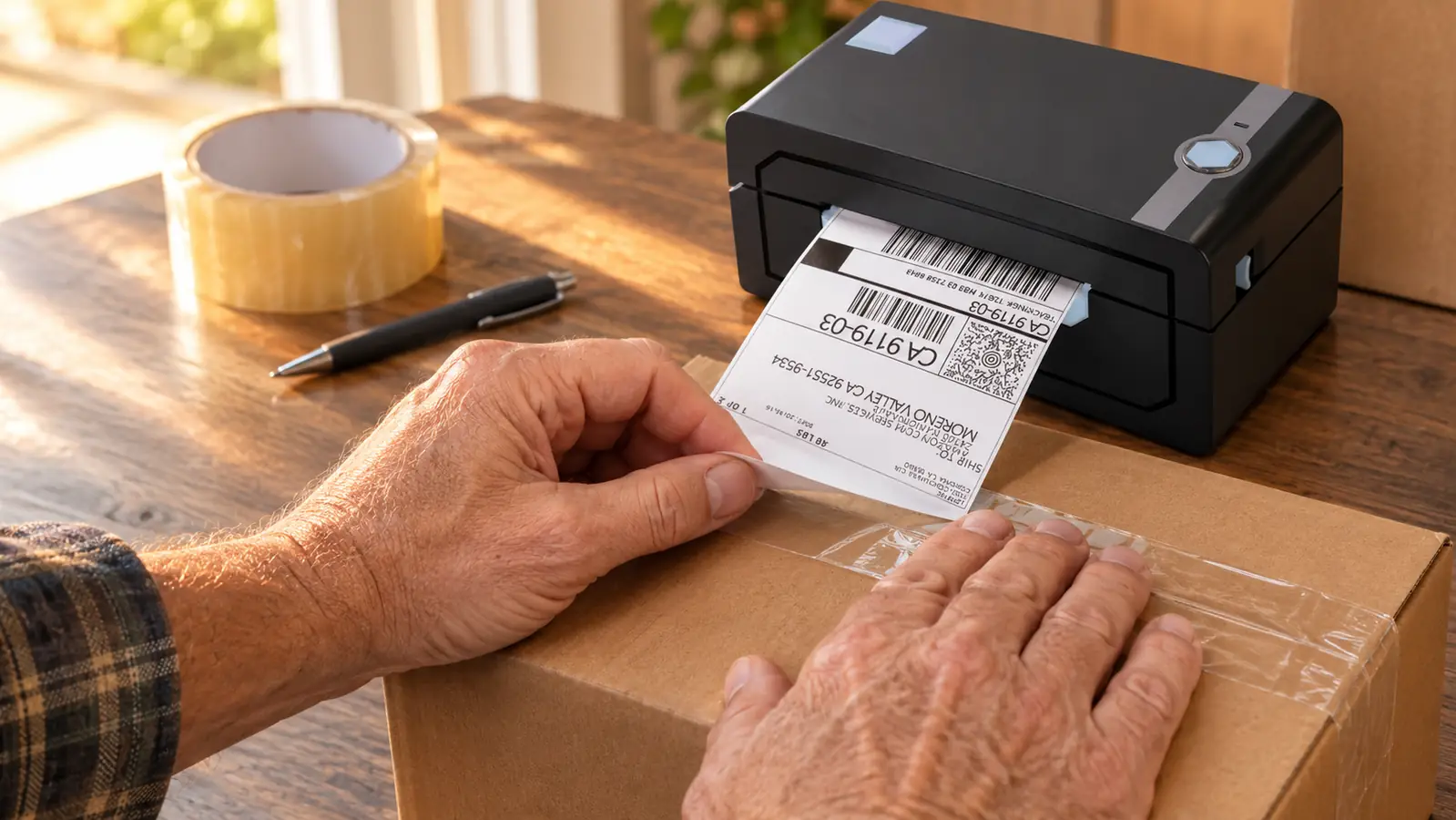
Connections are spelled out on the listing, and after a few years of driver trouble with other gadgets I care about that. USB works with Windows 7 and newer and Mac OS 10.9 and newer. Bluetooth works with Windows 8 or later and Mac. I print over USB from an older Windows laptop and it has not dropped a batch yet. Resolution is 203 by 203 DPI, which is not a number worth bragging about, but it is enough that a barcode scans on the first pass at the counter instead of the third. Anyone who has stood at a post office window holding up a phone flashlight while a clerk tries again knows why that matters.
Setup took me about twenty minutes, and most of that was finding the right USB port on a laptop that has three of them and no markings. Load a roll, print a test label, check that the address block sits square against the edge, done. My first test label ran about a quarter inch low because the roll was not seated all the way down, so I pulled it out, pushed it back in until it stopped, and printed a second one. Square ever since. I have set up gadgets that cost me a whole evening and a forum thread. This was not one of those, and I have not opened a settings menu on it since the first week of April.
The rest of the machine is boring in the useful way. Thermal printing means no ink and no toner, so nothing runs out at nine at night on a Sunday. It prints black only, print only, at a stated 6.57 pages per minute, which is faster than I can fold a shirt and tape a seam. It measures 5.91 inches deep, 9.06 inches wide and 5.91 inches tall, so it lives at the back of the folding table and leaves the front for the scale and the tape gun. The warranty is one year, limited, with support by email, phone and remote. I have used the phone line once for a setup question and it was a real option, not a form that emails you back in two days.
Here is the honest limitation. The listing is plain that printing from a phone is a different setup path than printing from a laptop. If your picture of a good evening is listing from the couch and printing the label without standing up, this is the point where you should look hard at the other machine instead of talking yourself into this one.
Where Phomemo Wins
Phomemo wins the phone, and it is not close. The 4x6 units in that line are built around an app, so the whole flow starts on the screen in your hand. If that is still how you work, the app-first design is not a gimmick. You pick the sale, you print, you peel, and you never walk to the spare bedroom in your socks. I lived that version for about a year before I had a dedicated room: an evening sale at 9:40 while a movie was running, one label needed before bed, and the choice between walking to a laptop and packing it in the morning.
The second win is small format. Round logo labels, thank-you stickers, the little label that goes on a jewelry bag or a folded scarf. That line gets bought for exactly that job, and it is why crafters and people who sell on Instagram end up there. The JADENS is a shipping label printer that happens to handle smaller stock inside its range. Phomemo built a printer for presenting, and you can feel the difference in how the two machines are meant to be used.
There is a third thing, and it cuts both ways. The Phomemo line has more models to choose from, with different footprints and different feature lists. That means you can find one that fits a shelf in a small apartment. It also means the spec sheet moves from model to model, so the numbers you read in one review may not be the numbers on the box you order. Read the exact listing before you buy, every time, for either brand.
The printer that stayed plugged in
Nine months, a dozen labels most mornings, a barcode that scans on the first pass. If you pack at a desk, start here.
Amazon Check Today's Price on Amazon →What I Got Wrong the First Month
I blamed the printer for a problem that was mine. I bought a bulk case of labels from a seller with no reviews, and every fourth label printed half an inch high, which threw the barcode off enough to fail at the counter. Two of the four rolls in that case were cut cleanly, one was raggedly edged and jammed twice, and one was a full millimeter narrower than stated. I measured it against a ruler on the kitchen counter to be sure I was not imagining it. The printer was fine. Buy direct thermal labels from a seller who states the size plainly, and buy a quantity that matches your volume instead of the biggest box on the page. I now keep one roll of 4x6 and one roll of the smaller size in a drawer under the table and reorder when the second one gets light.
The other thing I got wrong was printing one label at a time. Print one, walk to the shelf, pack one, print another. Batching the work changed my mornings more than any piece of equipment did. Now I pull every order first, print the whole run, then pack and stick. A dozen labels take a few minutes, and the printer does its part while I am still matching shoes to the right box. That is the actual advantage of a desktop thermal printer over a phone-first one, and you only notice it once you stop doing everything in single file.
What a Normal Packing Morning Looks Like
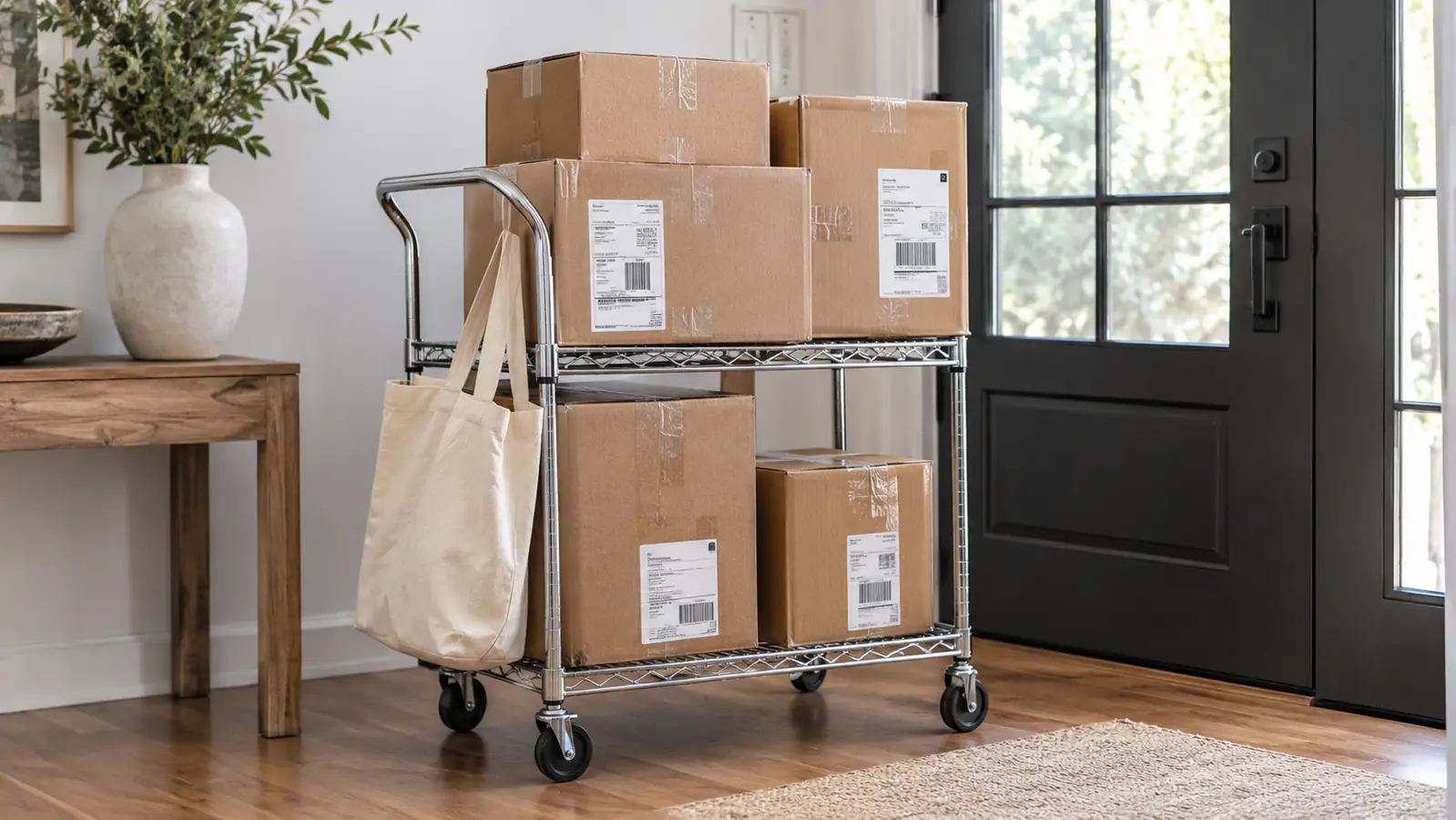
Most mornings start at the table around 6:30 with coffee and the phone, checking what sold overnight. I pull the orders onto the wire shelf in the order I will pack them, sit down, and print the whole run at once. Peel, stick, stack the boxes on the rolling cart. Gary carries the cart down the steps and I keep the scanner receipt in a folder by the door, because twice now a package has gone missing between my house and the buyer and a receipt with the weight on it ended the argument.
On a heavy Monday after an estate sale weekend there might be twenty orders, and the run stretches closer to an hour. I sort the finished boxes by carrier before they go on the cart, because the drop-off line moves faster when every label faces the same way and the clerk can read the stack without turning anything around. That one habit saved me an awkward morning at the window last fall, when a stack went in sideways and half of it had to be re-scanned by hand.
The whole job takes about forty minutes for a dozen orders, and most of that is folding and taping, not printing. That ratio is why I stopped caring about print speed months ago. What I care about is the label going on straight, the barcode scanning, and the printer waking up when I hit print. Nine months in, I have reprinted one label. That one was my fault. I loaded a roll upside down and printed the whole batch on the backing.
Nine months of labels and I have reprinted exactly one, and that one was my fault, not the printer's.
What I Liked
- Takes labels from 1.57 inches up to 4.1 inches wide, so shipping labels and small SKU labels use one machine
- USB works with Windows 7 and newer and Mac OS 10.9 and newer, and Bluetooth works with Windows 8 or later and Mac
- Thermal printing means no ink and no toner to buy or run out of
- 203 by 203 DPI is enough for barcodes to scan on the first pass
- Small footprint at 5.91 inches deep and 9.06 inches wide
- One year limited warranty with support by email, phone and remote
Where It Falls Short
- Phone printing is a different setup path than desktop printing, and the listing says so
- Print only, with no scanning or copying
- Needs direct thermal labels, so laser sheets are not an option
- Prints in black only
Who Should Buy Which
Buy the JADENS if you pack at a desk and you want a wired connection you can trust, a label range that covers both shipping labels and small stock, and a machine that never needs ink. If you have a laptop, a scale and a folding table, this is the printer that fits the room you already have. It is also the one I would hand to someone who is tired of troubleshooting, because there is very little here to troubleshoot. You plug it in, you load a roll, you print.
Buy a Phomemo if your phone is your workspace and your sales come with a presentation layer, the round logo labels, the thank-you stickers, the tissue paper. If you sell clothing on Instagram and the unboxing is part of the product, the app-first flow will save you more time than a wider label range ever will. Just read the spec sheet on the exact model, because that line is not one printer, it is a family of them with different numbers.
And if you are both, which most of us are after a couple of years, do not buy two printers in your first month. Buy the one that matches the way you work five days out of seven. I bought the shipping machine first and added the sticker work later, and I would do it in that order again. The cart by the door fills up either way, and the point is to spend less of your morning on it.
If your mornings look like mine, you already know which one you need
Bluetooth and USB on board, labels from 1.57 to 4.1 inches, no ink to buy. One year limited warranty with support by email, phone and remote.
Amazon See Today's Price on Amazon →