
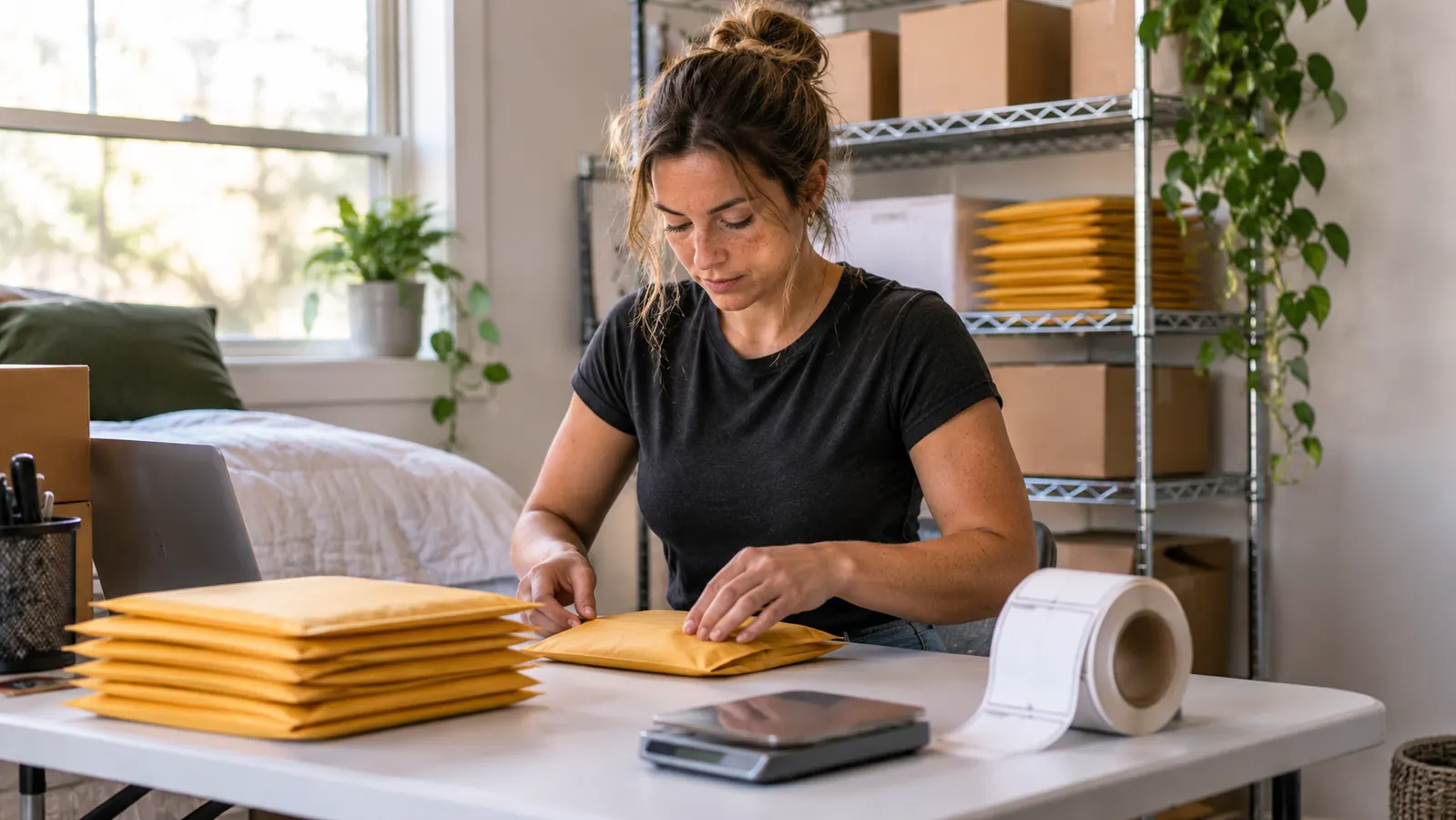
For five years my shipping routine involved a pair of scissors and a roll of packing tape. I printed labels two to a sheet on an old inkjet, cut around each one by hand, and taped the paper down so it would survive a rainy ride to the post office. It worked. It also ate about four minutes per package, and on a Monday with eleven sales to ship, that was most of an hour gone before I ever got out the door.
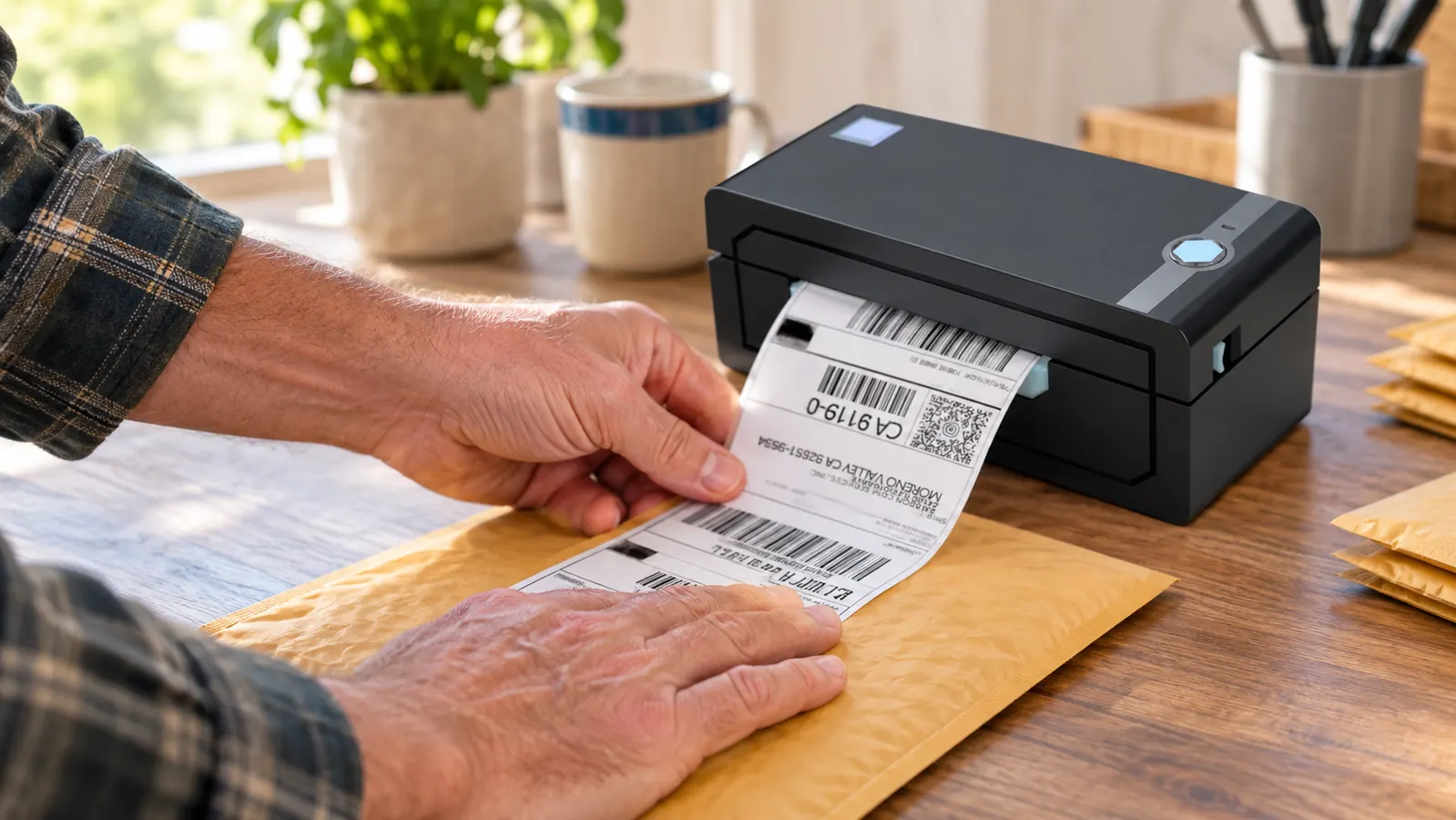
Three months ago I set the JADENS Bluetooth thermal shipping label printer on the wire shelf beside my folding table in the spare bedroom, and I stopped cutting. The JADENS is a small thermal printer, roughly nine inches wide and six inches deep, and it prints one label at a time from a roll or a fan-fold stack. No ink, no toner, nothing to replace but the paper. It has run most weekday mornings since. This is what three months of real use looked like, including the parts that annoyed me.
The Quick Verdict
A small thermal label printer that replaced my scissors, my tape and most of a Monday morning. Buy it for 4x6 shipping labels. Read the Android and iOS limitation first.
Amazon Check Today's Price →Stop Cutting Labels Out of a Sheet of Thirty
The JADENS prints one 4x6 label at a time. No ink, no toner, no tape over the barcode. It has handled close to four hundred of my eBay, Poshmark and Mercari labels in three months.
Amazon Check Today's Price on Amazon →How I've Used It
My weeks have a shape. I source on Saturday and Sunday, list in the evenings, and ship most mornings. The printer gets used in bursts, somewhere between three and fifteen labels at a time, not in a steady stream. A heavy week might be sixty labels. A light one might be twelve. A typical Tuesday starts at seven with a mug of coffee going cold, the laptop already open to the sold items page, and three stacks of padded mailers lined up on the folding table at arm's reach. Poshmark goes first, because those buyers tend to ask questions before they pay. eBay is next. Mercari gets whatever is left, which some weeks is one shirt and some weeks is nine.
For a sense of real volume, I logged the first four weeks. Thirty-one labels in week one, nineteen in week two, forty-four in week three because I had a run on vintage Pyrex, and twenty-two in the fourth. Call it thirty a week on average, which is a small operation. That is exactly the range where a dedicated label printer starts to pay for its shelf space and a big office machine does not.
Setup took twenty minutes, and most of that was the label stock. The printer takes labels from 1.57 to 4.1 inches wide. I had bought a box of 4x6 fan-fold labels, which is the size eBay, Poshmark and Mercari generate for a standard parcel, and the first one fed cleanly. I have not touched an alignment setting since.
The first week was a lesson in patience with myself. I printed a label before sealing a box, then discovered I had grabbed the wrong box, then had to print another. I wasted four labels that way. Once I started weighing and boxing first and printing second, the waste stopped. That is not a printer problem. That is me learning a new order of operations. By the second week I had a fixed sequence and I have not varied it since: weigh, box, seal, print, peel, stick, into the cart.
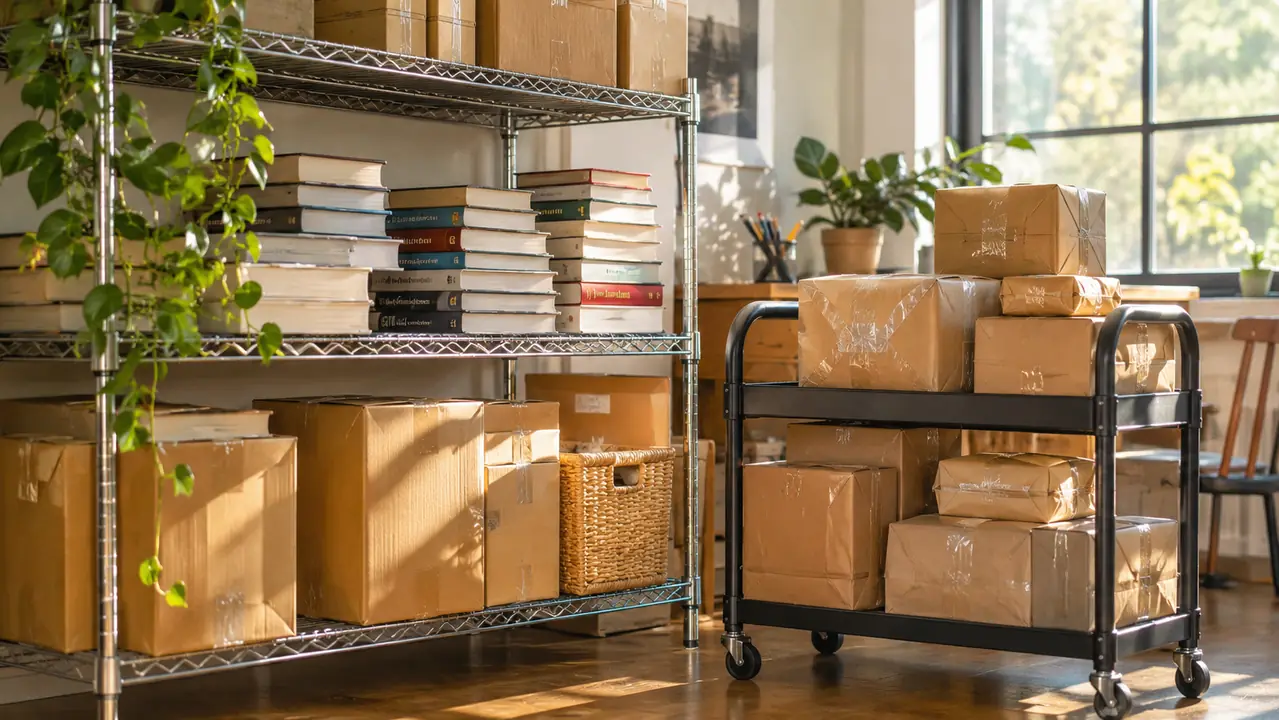
The printer lives on the shelf, plugged in, lid closed. I pull the laptop over, print, peel, stick, and the package goes into the rolling cart by the door. Gary carries the cart down the steps to the drop-off, because a cart full of hardbacks is heavier than either of us should be lifting, and the cart fills faster now than it used to.
The Connection Limits Are Real, and the Listing Says So
This is the part I want to be straight about, because it is where most of the one-star reviews on this class of printer come from. The JADENS listing states that Bluetooth printing works on Windows 8 or newer and on Mac. It states plainly that Android and iOS phones cannot print over Bluetooth, and it points you to a different connection method for those devices. USB works with Windows 7 and newer and with Mac OS 10.9 and newer.
I print from a six-year-old Windows laptop that sits on the shelf next to the printer, so Bluetooth connected on the first try and I have never needed the phone route. If your whole workflow lives on your phone, read that limitation twice before you order, and read the USB note as well, because that is the path the listing directs you toward.
The pairing itself has been steady. It has dropped twice in three months, both times after the laptop had been asleep for a full day. The first time it happened I panicked and deleted the device from the Bluetooth list, then spent ten minutes pairing it again from scratch. The second time I unplugged the printer, counted to ten, and plugged it back in, and it came up in under a minute. That is a mild annoyance. It is not a reason to send anything back.
What 203 by 203 DPI Looks Like on a Poly Mailer
The print resolution is 203 by 203 DPI. That is the standard for shipping label printers, and it is more than enough for a barcode. The number that actually matters to me is contrast. A barcode that scans on the first pass at the counter saves me the small humiliation of standing there while a clerk tries a second angle.
Mine scan. Close to four hundred labels over three months, and every barcode has read on the first pass. The text is crisp enough that the address block is legible from arm's length. The one label that ever came out half faded was the third off a cheap roll I bought at a discount store, and the fault was the roll, not the machine. I swapped brands and the next one printed dark. There is one clerk at my post office who is not shy about handing a package back over a bad barcode, and in three months she has not had a reason to.
It prints in black only. For shipping, that is the entire job. If you were hoping to print a colour thank-you card to tuck into the box, this is not that machine, and it never claimed to be.
Close to four hundred labels in three months, and the only one that ever failed to scan came off a bad roll of label stock, not out of the printer.
The Label Width Range Is the Feature I Underrated
The printer handles label widths from 1.57 inches up to 4.1 inches. I bought it for 4x6 shipping labels and that is about ninety-five percent of what goes through it. The range matters for the other five percent.
I use narrow labels for two jobs. The first is an inventory code stuck inside the front cover of a book, so that when a title has sat on the wire shelf for eight months I can still match it to the listing without digging through the spreadsheet. The second is a return address label on the flap of a padded envelope, which saves me writing my address out by hand forty times a month. The inventory code was Gary's idea, after I spent the better part of an evening hunting for a paperback that had migrated from shelf two to shelf four sometime in the spring. Eight months of dust on a spine and no way to tell which listing it belonged to. A small label inside the front cover fixed that for good.
Changing over to a narrower roll takes a minute the first time you do it. After that it is load the roll, print, done. I do not think about it anymore.
What It Does Not Do
It prints. That is the entire job. The listing describes it as print only, so there is no scanning, no copying, no fax. If you are shopping for one machine to serve as the household printer and the shipping printer both, this is not it. The inkjet in my hallway is still doing that work.
There is no ink to buy, because thermal printing does not use any. That is why the per-label cost drops so far and why I stopped noticing the printer at all. It carries a one year limited warranty, and label stock is the only recurring expense I have.
The maximum copy speed is listed at 6.57 pages per minute. I have no idea how that number was measured on a machine that prints one label at a time, and I have never once waited on it. The printer is not the slow part of my morning. Finding the right box is.
It also prints one label at a time, which I first thought was a downside and later decided was the opposite. Batch printing is how I mislabeled two packages during a December rush. Printing each label as the box is sealed has not caused a single mix-up since.
Three Months In: What Actually Changed
The scissors are in a drawer. That is the smallest change and the one I notice most.
The bigger change is the mistake count. When I was cutting and taping, I would tape over a barcode roughly once every sixty packages, and a taped barcode does not scan. That meant a repack, a fresh label and an apology note to the buyer. It has not happened once since the printer arrived.
The third change is time. I used to give most of a Monday morning to labels. That block now goes to photographs and listing descriptions, which is the work that actually moves inventory. I will not put a number on what that hour is worth, because I do not know your margins. I know it is often the difference between shipping Monday and shipping Wednesday, and Wednesday is where momentum goes to die. The photographs are the part that needed the time and never got it. I used to shoot four or five items in a batch and call it good, and the listings looked like it. Now I shoot ten, from three angles, with the wrinkles steamed out of a shirt first and the maker's mark on the bottom of a bowl turned toward the light.
One thing I did not expect: the packing room is tidier. The sheet labels, the scissors, the tape dispenser I kept around for taping down labels, all of it left the table. What is left is a printer, a stack of mailers and a scale. For someone working out of a spare bedroom, less clutter on the table is worth something on its own.
What I'd Compare Before You Buy
Two things are worth checking before you commit. The first is the connection question above. If you are an iPhone household, that decides it for you, and no amount of print quality makes up for a morning spent fighting a pairing that the listing told you would not work.
The second is which printer, not whether. I ran this one beside a Phomemo for a week while I was deciding, and the side-by-side breakdown of those two covers the differences in label handling and app support. If you want the arithmetic on whether a thermal printer earns its shelf space at all, that is a separate question, and it comes down to how many labels a month you genuinely print.
What I Liked
- Prints 4x6 shipping labels one at a time with no ink or toner to replace
- Bluetooth connected on the first try with a Windows laptop and has been steady since
- Handles label widths from 1.57 inches up to 4.1 inches
- 203 by 203 DPI produced barcodes that scanned on the first pass on every label
- Small footprint, about nine inches wide and six inches deep, so it sits on a wire shelf
- One year limited warranty
Where It Falls Short
- Android and iOS phones cannot print over Bluetooth, per the listing
- Prints in black only, one label at a time, and does not scan or copy
- Bluetooth dropped twice in three months and needed an unplug and replug
- Setup assumes you already understand label stock, because the documentation does not teach it
Who This Is For
This is for the home seller who ships a handful of packages most days and is still cutting labels out of a sheet with a pair of scissors. It is for anyone on eBay, Poshmark, Mercari or Etsy printing 4x6 labels who is tired of tape over a barcode. It suits a Windows or Mac household, because that is where the Bluetooth connection works. It suits a small workspace, because the footprint is about nine inches by six and it will live on a wire shelf without complaining. And it suits a seller who prints enough that the scissors have become the bottleneck, which for me was somewhere around twenty packages a week.
Who Should Skip It
Skip it if your entire operation runs from a phone. The listing is clear that Android and iOS devices cannot print over Bluetooth, and if your listing workflow never touches a laptop, you will be fighting the connection every morning. Skip it if you need one machine that also scans and copies. Skip it if you want colour printing. And skip it if you ship once a month or less, because a sheet of labels and a pair of scissors are still the cheaper answer for a printer you would touch twelve times a year. This is a tool for volume, not a gadget for a hobby.
The Scissors Can Go in the Drawer
Three months, close to four hundred labels, and not one failure to scan. The JADENS handles the 4x6 labels eBay, Poshmark and Mercari hand you, as long as you are printing from a Windows or Mac machine.
Amazon Check Today's Price on Amazon →